Mastering the mixing timeline
Understanding DropLab's core feature for DJ mixing
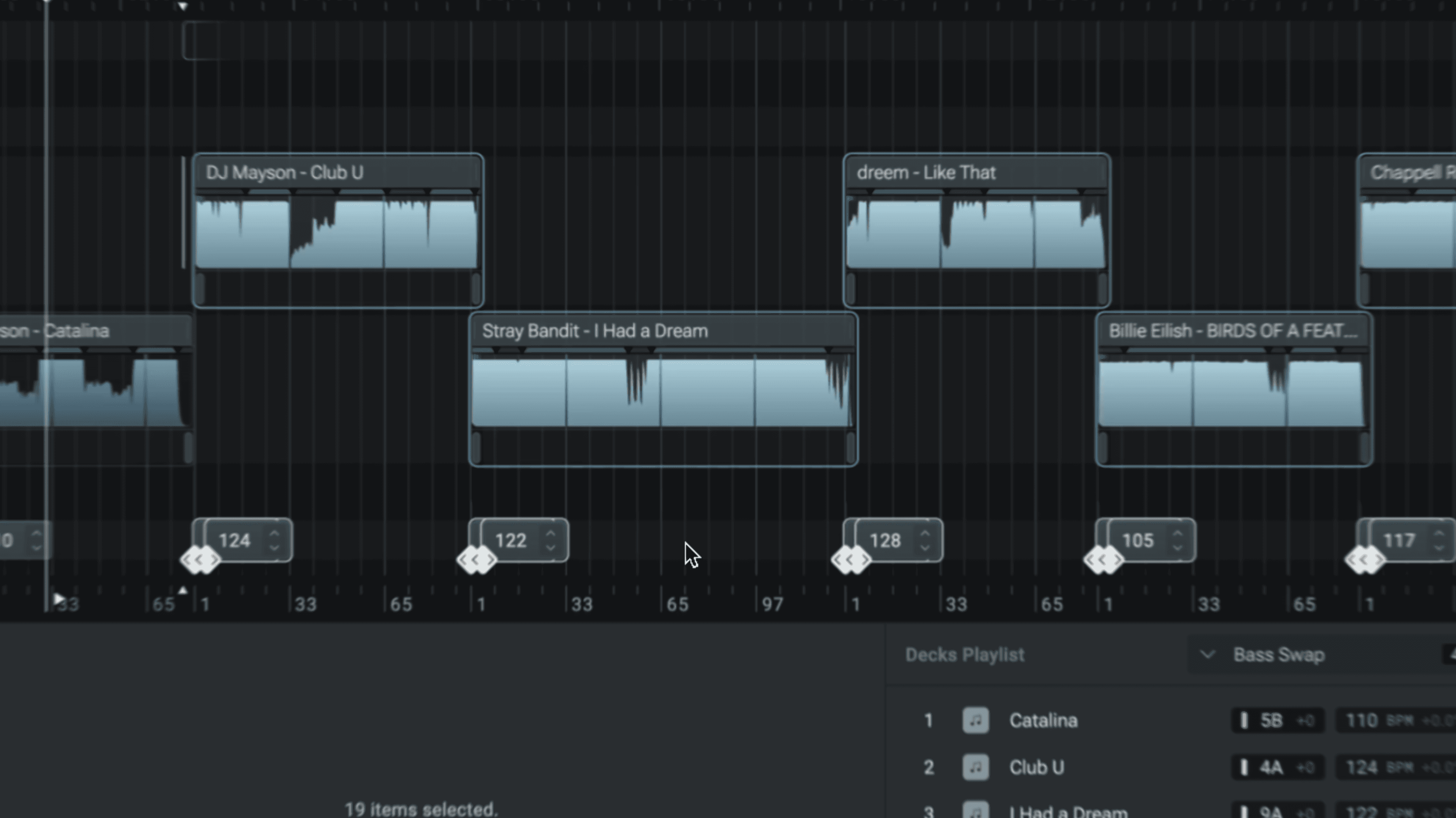
The timeline editor in DropLab was built specifically for DJ mixing and it's the core feature that sets it apart from traditional DAWs or audio editors.
Here are 3 key things you need to know to get the most out of DropLab.
Adaptive beat grid
The timeline's beat grid adapts to every song you add to your mix. When you add the first song to your mix, you'll see that the beat ruler resets the counter at "1" exactly at the song start.
If you add a second song, the beat ruler resets again. This makes it easy for you to visualize how long a phrase or a transition is.
Mixing on 4 lanes
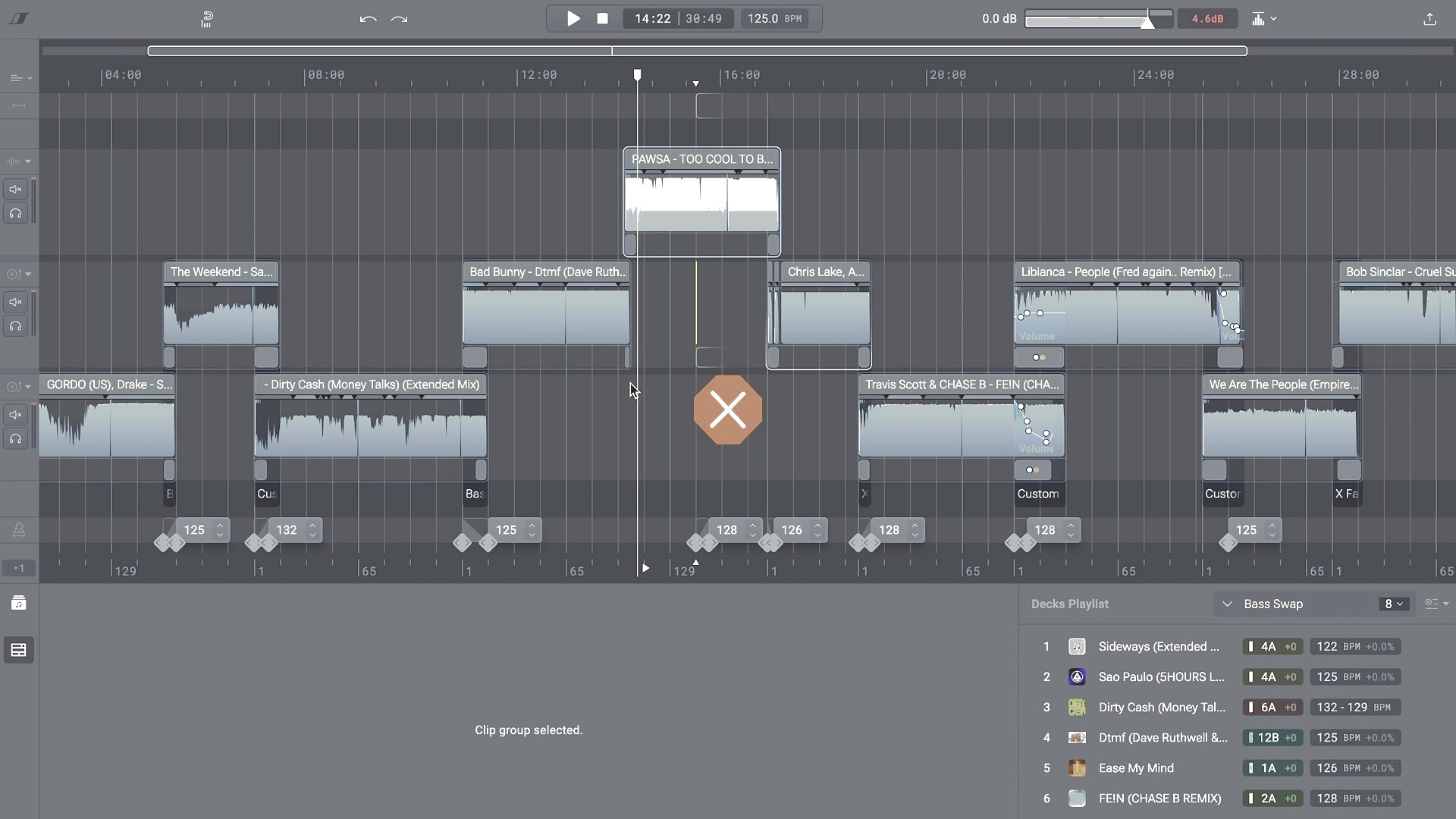
You can mix on up to 4 lanes, but the first 2 lanes are different from the others. The timeline beat grid only adapts to songs added to one of the first 2 lanes.
You can think of the first 2 lanes as your decks. Use the 3rd and 4th lanes to add samples or as a temporary space where you can move things while making edits on one of the main lanes.
Features exclusive to lanes 1 & 2
The transition window and the decks playlist are two features that are available only for tracks on one of the first 2 channels.
This means quick reordering, transition presets, and beat snapping will not work if you choose to make a transition on lanes 3 or 4.
Timeline objects
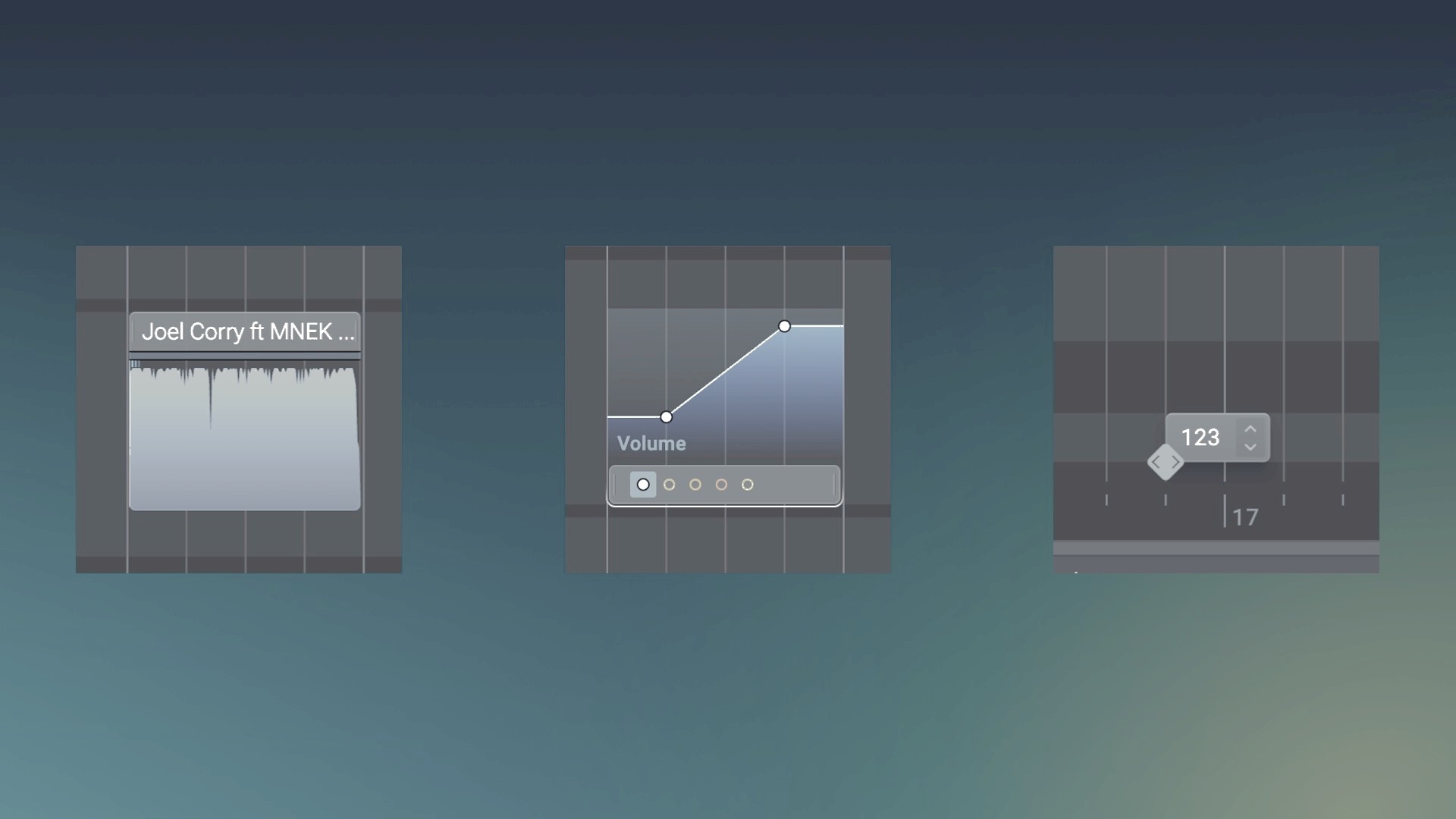
There are 3 types of objects on the timeline that shape the sound of your mix: clips, effect blocks, and tempo changes. You can multi-select and move them together, and you can even copy sections from one mix to another.
Shift key for downstream editing
Holding Shift while moving a clip will move all the downstream items together with the clip you're dragging. This is useful when making edits in the middle of a mix. You can even swap the lanes of items and close the gaps left behind by removed songs.
Smart selection with Cmd/Ctrl+A
Press Cmd or Ctrl+A to select all the downstream items of the selected clip. While this shortcut is usually known for selecting all items, in DropLab it only selects downstream items, making it easier to rearrange your mix without affecting earlier sections.